
Trucking Company Website: Pages, Features and Examples That Win Loads and Drivers

Author
Oriol LampreavePublished
On this page
- What are the two jobs of a trucking company website?
- Which pages must a trucking company website have?
- What features should a trucking website have?
- What is the best website builder for a trucking company?
- What do the best trucking websites have in common?
- How does a trucking website connect to local search?
- Frequently asked questions
A trucking company website is the public site where shippers check whether a carrier is safe, licensed and capable, and where CDL drivers decide whether to apply. It has two jobs that pull in different directions: win freight from shippers and brokers, and recruit drivers. A site that does both well shows equipment, lanes, safety record and pay in plain terms, loads fast on a phone and makes it easy to call or apply.
This guide covers the two jobs, the pages every carrier needs, the features that matter, website builder options, the patterns that good trucking sites share, and the local search basics that connect the site to Google.
What are the two jobs of a trucking company website?
A trucking company website has to win shipper freight and recruit drivers, and each audience needs its own path. Shippers and brokers want proof of reliability, while drivers want pay, home time and an easy application.
| Audience | What they want to know | What converts them |
|---|---|---|
| Shipper or broker | Can this carrier cover my lanes, with the right equipment, safely and on time? | Quote request, phone call, carrier packet download |
| CDL driver | What does it pay, how often am I home, what truck will I drive? | Short application, click-to-call, text |
Carriers that treat the site as one brochure usually serve neither audience. Put two clear buttons in the header, “Request a quote” and “Drive for us”, and give each its own section and navigation path.
The driver side connects to a larger hiring system. The guide on how to recruit CDL drivers explains how ads, speed to contact and tracking work with the careers page. The shipper side connects to how carriers land contracts, covered in how to get trucking contracts.
Which pages must a trucking company website have?
A trucking company website must have eight core pages: home, services by equipment type, service area or lanes, safety and compliance, careers with a driver application, quote request, about with fleet details, and contact. Each page answers a question a shipper or driver has before calling.
| Page | Purpose | What to include |
|---|---|---|
| Home | State who you haul for and where | Equipment, lanes, one proof point, two buttons |
| Services by equipment | Match freight to trucks | Dry van, reefer, flatbed, step deck, tanker, intermodal drayage, each with capacity details |
| Service area and lanes | Show coverage | Map or list of states, major lanes, terminals, cross-border capability if applicable |
| Safety and compliance | Pass vendor checks | USDOT and MC numbers, safety rating, CSA scores summary, insurance limits, SmartWay if applicable |
| Careers | Recruit drivers | Pay and home time by position, apply button, benefits, what happens next |
| Quote request | Capture freight details | Origin, destination, equipment, weight, pickup date, contact |
| About and fleet | Build trust | Years operating, ownership, fleet size and age, terminals, team photos |
| Contact | Give a human route | Dispatch phone, sales phone, email, address, hours |
Shippers run vendor checks before adding a carrier to a routing guide. They look for active operating authority, insurance limits, a satisfactory FMCSA safety rating if rated, and a clean CSA profile. A safety and compliance page that lists these items, with a downloadable carrier packet containing the W-9, certificate of insurance and authority letter, shortens onboarding. Publish only what is true and current, because shippers verify against FMCSA’s public records.
What features should a trucking website have?
A trucking website should be built mobile-first, load quickly, put click-to-call on every screen and route form submissions to the right person. Drivers browse on phones, often between stops, and shippers expect the site to work without friction.
- Mobile-first layout. Test on a mid-range Android phone on a cellular connection, not only on a desktop monitor.
- Click-to-call and text. A phone number in a sticky header or button, tappable on mobile. Many drivers prefer a call to a form.
- Fast load times. Compress images, avoid large videos on the home page and limit scripts. A slow page loses drivers on weak signals.
- Form routing. Quote requests go to sales, driver applications go to recruiting, and vendor setup requests go to the office. Separate forms, separate inboxes, same-day response.
- Short driver application. Five to eight fields first, with the full DOT application completed after the recruiter speaks with the driver.
- Analytics and call tracking. Track which pages and channels produce quote requests and applications, so the budget follows results.
- Structured data. Organization, LocalBusiness and JobPosting schema help search engines understand the site and show job listings in Google for Jobs.
- Accessibility basics. Legible type, sufficient color contrast and labeled form fields.
For a deeper checklist on layout and conversion elements that apply across logistics sites, see the guide to a logistics website that converts.
What is the best website builder for a trucking company?
The best website builder for a trucking company depends on how much the site needs to grow. Wix and Squarespace suit a small fleet that needs a simple site quickly, WordPress suits carriers that want to add lane pages, a careers section and a blog, and a custom build suits larger fleets with specific integrations.
| Option | Best for | Strengths | Limits |
|---|---|---|---|
| Wix or Squarespace | Owner-operators and small fleets | Fast setup, drag and drop, hosting included | Less control over page structure and speed; harder to scale |
| WordPress | Growing carriers | Flexible, strong SEO tooling, large plugin ecosystem, easy to add content | Needs hosting, updates and security maintenance |
| Trucking-specific template providers | Carriers who want industry layouts | Pre-built sections for quotes and careers | Sites can look like competitors’ sites |
| Custom build | Large fleets | Full control and integrations with TMS or applicant tracking | Highest cost, longest timeline |
Cost drivers are consistent across platforms: the number of pages, custom design versus a template, content writing and photography, integrations with an applicant tracking system or TMS, and hosting and maintenance. Content is often the largest hidden cost. Equipment pages, lane pages and a careers section need real detail that only the carrier has.
A practical rule: start with the platform that lets the carrier edit content without a developer, and make sure the site can be moved later. Locked-in builders make migration painful.
What do the best trucking websites have in common?
The best trucking websites share patterns instead of designs: specific equipment and lane statements, visible compliance details, real photos of trucks and drivers, pay and home time shown for drivers, and one clear action per section. Strong sites feel specific, not generic.
Patterns worth copying:
- A first screen that states the freight. “Temperature-controlled freight across the Southeast from Atlanta” says more than “Reliable transportation solutions”.
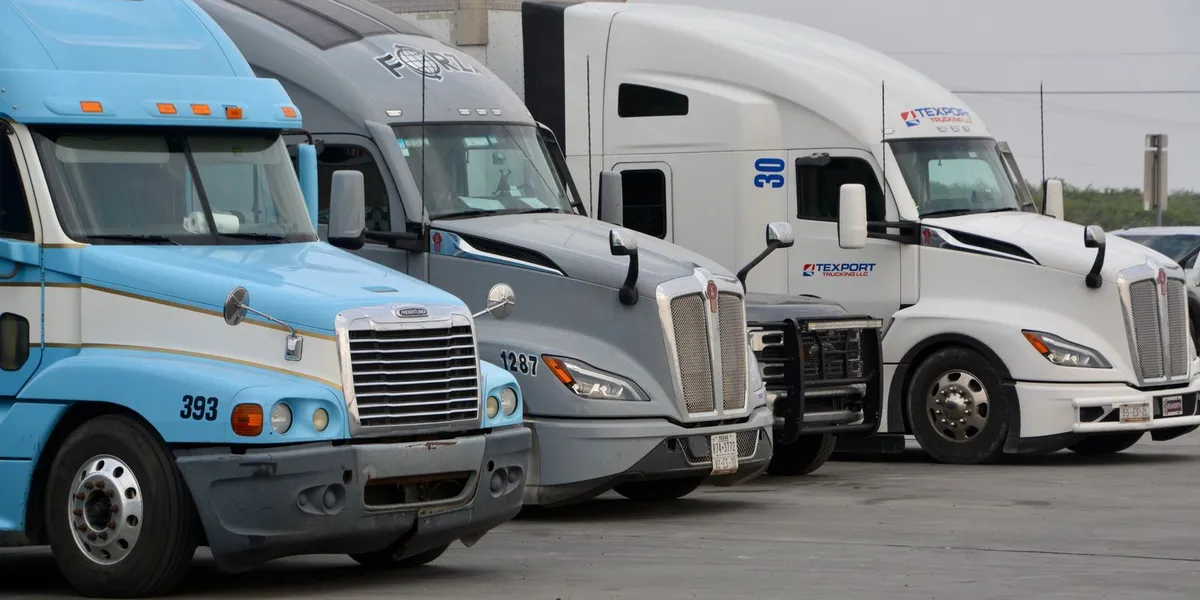
- Real photos. Trucks with the company’s livery, drivers at the terminal and the facility. Stock photos of highways are a negative signal.
- Compliance in plain view. USDOT and MC numbers in the footer, a safety page, and insurance limits stated or available on request.
- Driver pay posted openly. Cents per mile or weekly pay ranges, home time, truck year and benefits on the careers page.
- A fleet section with numbers the carrier can back up. Truck count, trailer types, average age.
- Short testimonials. From shippers and drivers, with names, used only with permission.
- Consistency with the rest of the web presence. The same name, address and phone number on the site, the Google Business Profile and directories.
Avoid copying specific competitor sites. Review five to ten carriers in the same segment and region, note which pages answer questions well and which feel empty, and build a list of gaps to fill.
How does a trucking website connect to local search?
A trucking website connects to local search through a Google Business Profile, consistent name, address and phone number across the web, and location and service pages that match how shippers and drivers search. These basics bring in searches such as “flatbed trucking company near me” and “CDL jobs in [city]”.
Basic checklist:
- Claim and complete the Google Business Profile for the main terminal, with correct categories, hours, photos and services.
- Keep the name, address and phone number identical on the website, the profile and directories.
- Build a page for each terminal or major service area, with a unique description, not copied text.
- Create a careers page for each hiring location when the carrier hires locally.
- Ask shippers and drivers for Google reviews and reply to them.
- Add internal links from the home page to equipment, lanes and careers pages.
These steps cover the foundations. The full approach to keywords, content and links is in the trucking SEO guide, and the trucking industry page shows how F5 works with carriers.
Frequently asked questions
What is the best website builder for trucking companies?
For a small fleet that needs a site fast, Wix or Squarespace works. For a carrier that plans lane pages, a careers section and content growth, WordPress is the more flexible choice. Large fleets with integrations to a TMS or applicant tracking system often need a custom build.
What are the best trucking websites?
The best ones state specific equipment and lanes, show USDOT and MC numbers and safety information, use real photos and post driver pay and home time. Rather than copying one site, review several carriers in your segment and region and note which ones answer shipper and driver questions clearly.
How much does a trucking company website cost?
Cost depends on the platform, number of pages, custom design, content, integrations and ongoing maintenance. A template site costs far less than a custom build, but content and photography need budget on both. Ask for written quotes against a page list so options can be compared.
What should a trucking website show to win shippers?
Equipment types, lanes, USDOT and MC numbers, insurance limits, safety rating, a downloadable carrier packet and a quote form with a stated response time. Shippers check these items during vendor onboarding, so make them easy to find.
Does a trucking company website help with driver recruiting?
Yes. A careers page with pay, home time, equipment and a short mobile application gives drivers the information they compare before applying, and it captures applicants from Google and ads. The site works best when a recruiter calls each applicant quickly.
If you want a trucking website built around these pages and both audiences, see F5’s website design services.
Talk to an expert
See exactly how your logistics company can turn more traffic into qualified leads.
- Logistics specialists, not generalists
- Scaled a freight forwarder past 1M visits/mo
- SEO, GEO, content, lead gen and GTM strategy in one team

Marketing and data geek. Oriol joined iContainers young and grew with the business, becoming CMO and shaping the company’s entire inbound strategy until its exit.



Get in touch
Talk to an expert
See how your logistics company can turn more traffic into qualified leads. Tell us what you sell and who buys it.
- 1 We reply within one business day, from a person, not a sequence.
- 2 A 30-minute call on what you sell, to whom, and how you close today.
- 3 If we can build demand for it, we say what it would take. If not, we say that too.
Prefer to talk now? Pick a 30-minute slot or write to hi@f5-out.io.